


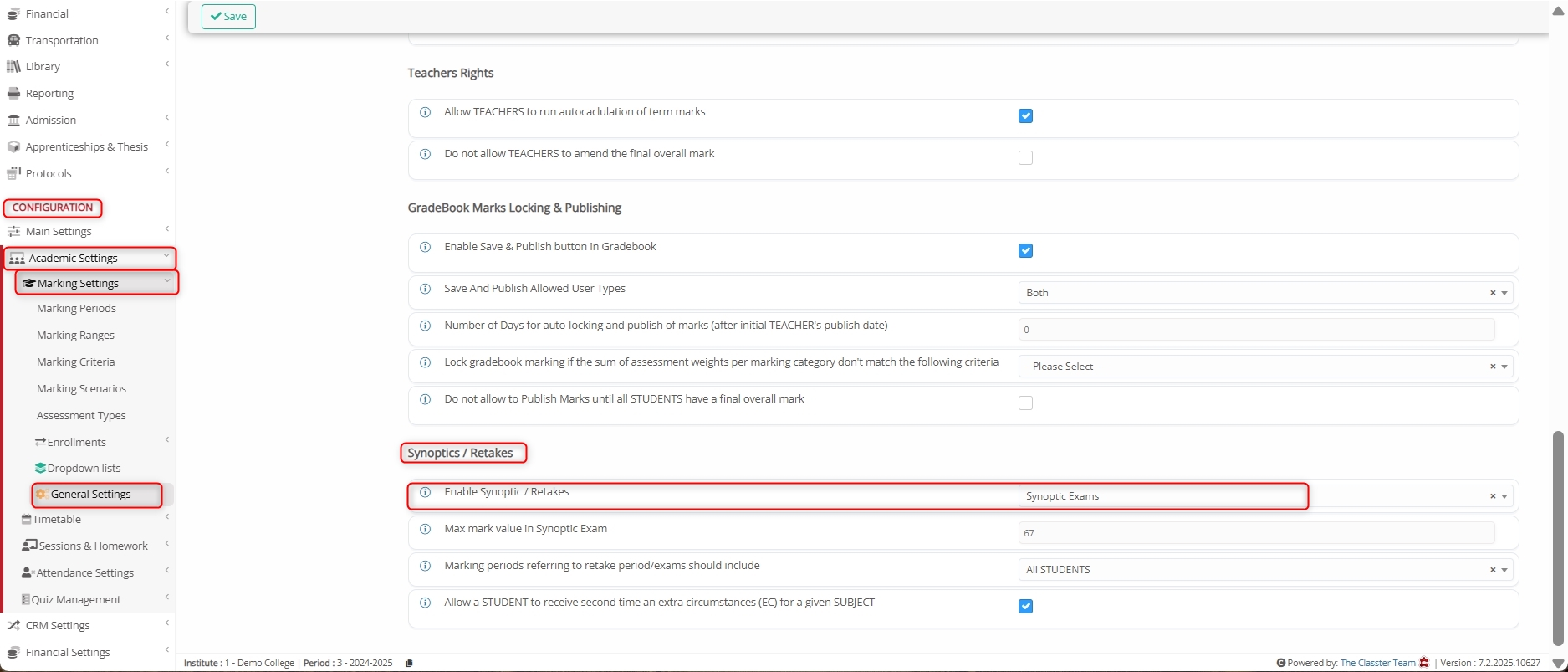
Academic Settings / Marking Settings / General Settings / Marking / Synoptics / Retakes / Enable Synoptic / Retakes
Synoptic Examinations in Classter are special types of re-take assessments designed for _Students_ who have failed to pass a Unit. When enabled, Classter automatically generates a new assessment with the type “Synoptic” for applicable Students.
Key Features
- Automatically generated assessments for Students who fail a _Subject_.
- Based on the failure condition, where the overall mark is below the pass mark defined in the Marking Scale/Range associated with the Subject.
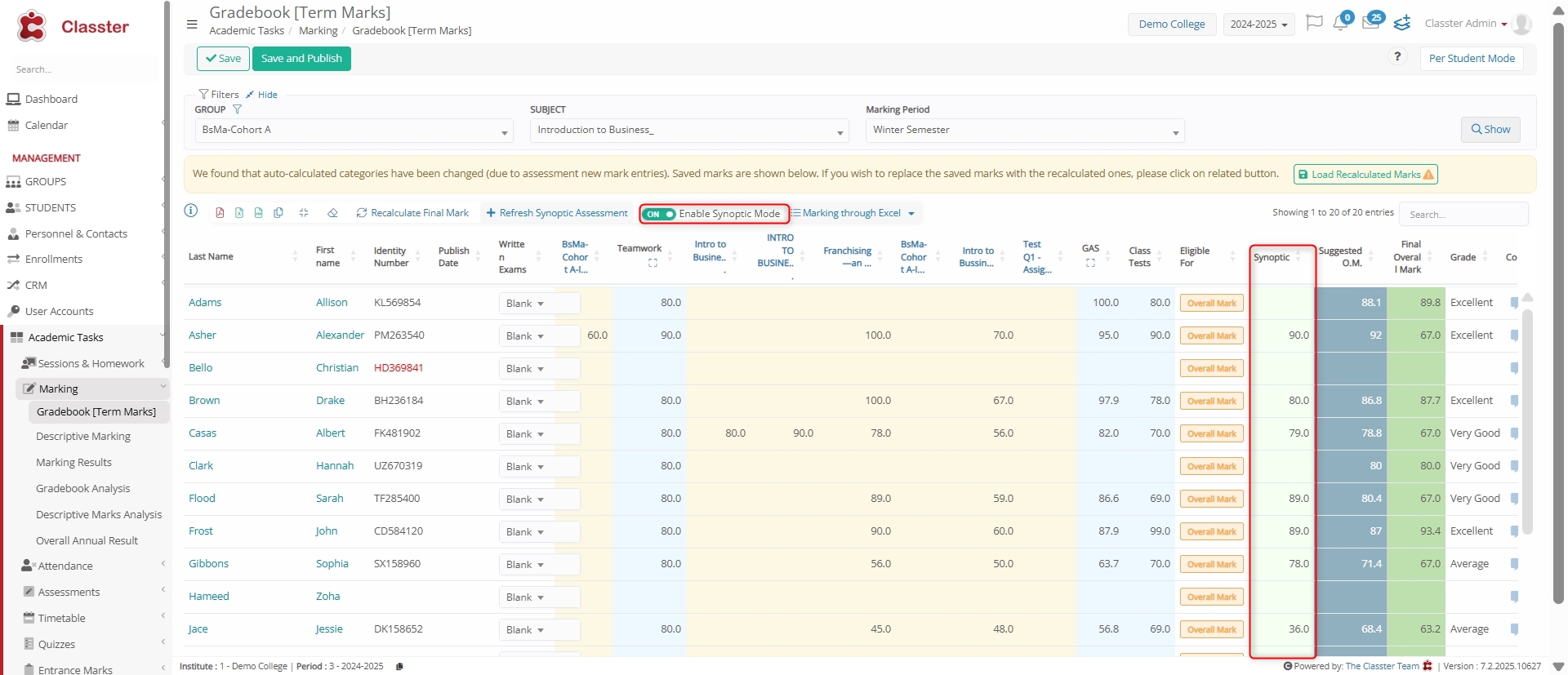
- If passed, the Synoptic mark overrides the Term Mark, effectively updating the Student’s final performance in that Subject.
- Works in conjunction with Retake Periods, which allows academic staff to organize and manage re-exams effectively.
Enable Synoptic Exams
To enable the Synoptic Exams option, navigate to: CONFIGURATION > Academic Settings > Marking Settings > General Settings > Marking > Synoptics / Retakes > Enable Synoptic / Retakes > Select Synoptic Exams option.
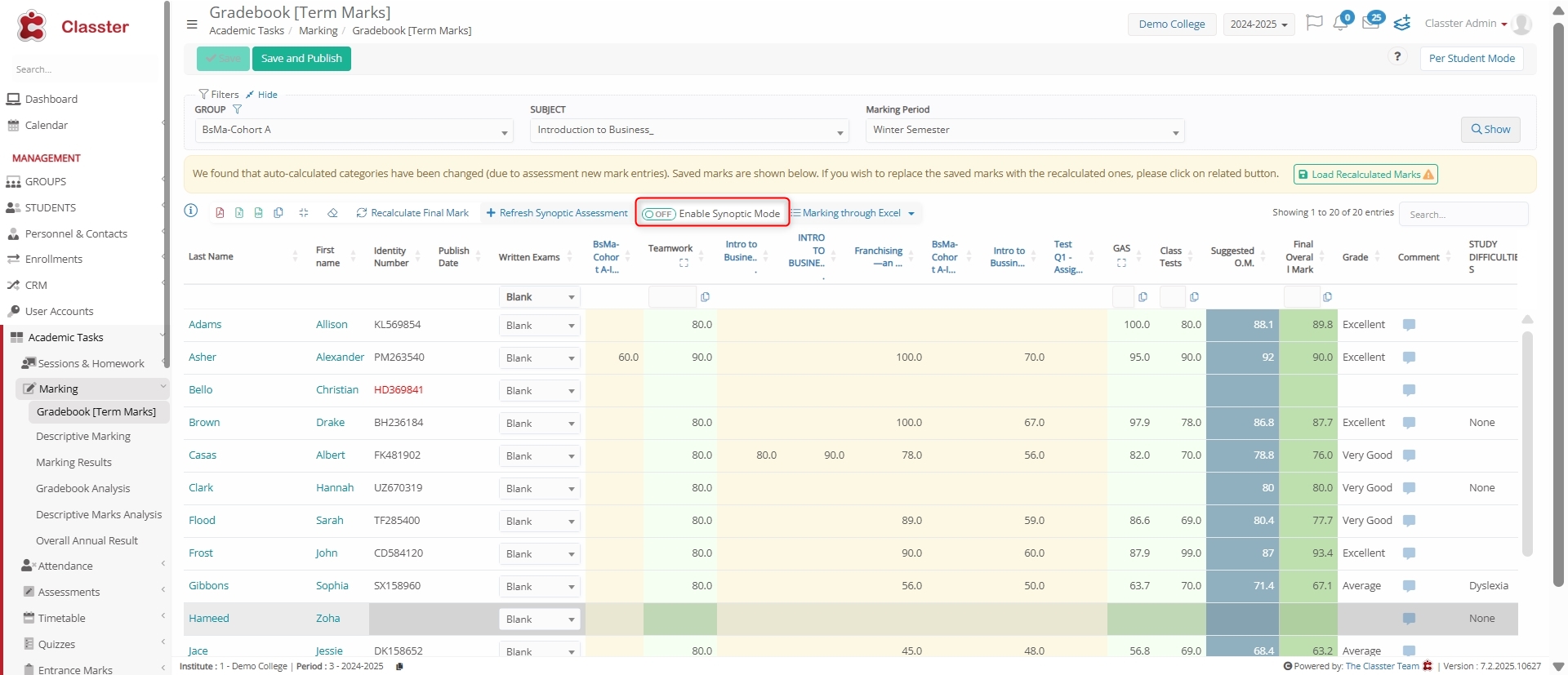
Enable Synoptic Mode Switch
After enabling Synoptic Examinations, navigate to: MANAGEMENT > Academic Tasks > Marking > Gradebook [Term Marks] section.
Here, notice that a new switch or toggle appears to Enable Synoptic Mode for applicable Subjects and Students.
Here are the results with Synoptic Mode enabled.
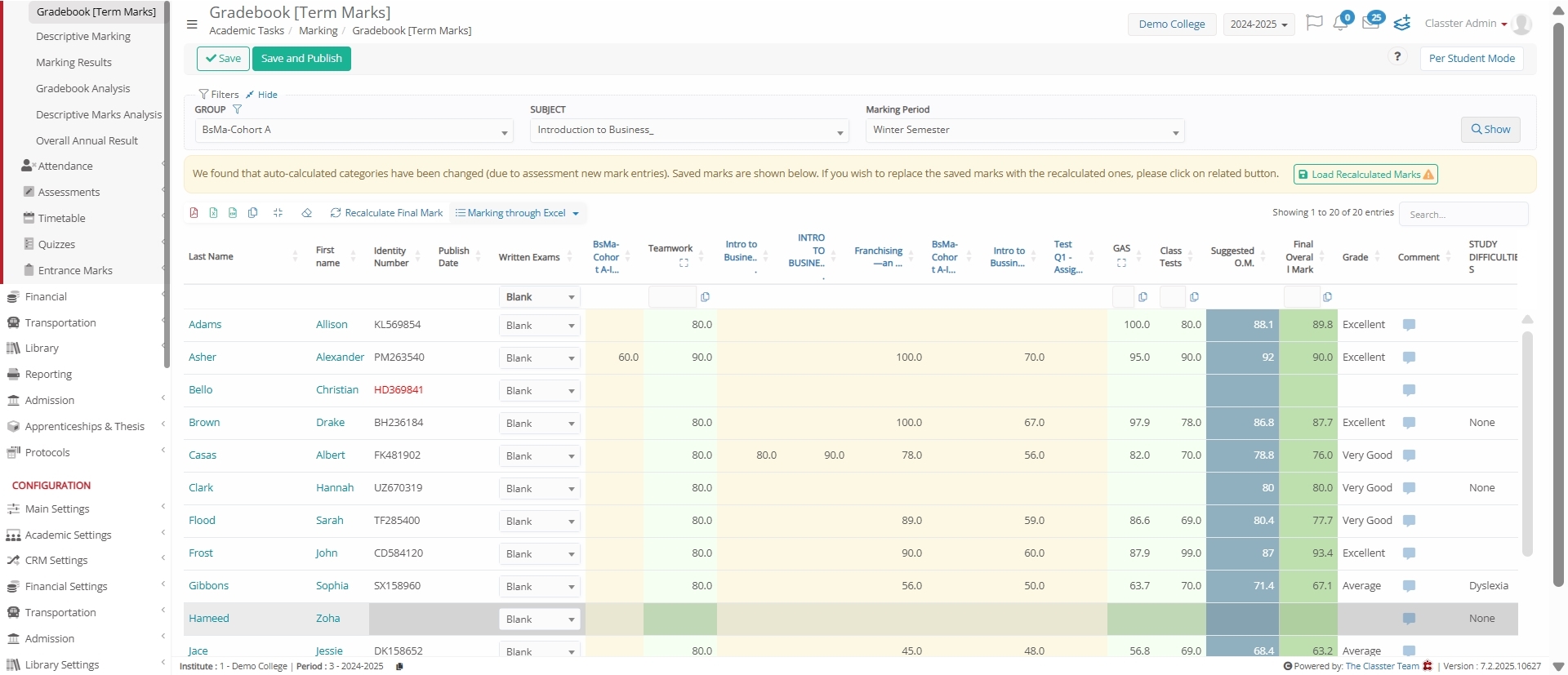
Note: If the Enable Synoptic Exams setting is disabled, the Synoptic Mode switch will not appear in the Gradebook, and you’ll not get the desired output.
Summary
Enabling Synoptic Exams allows institutions to create automatic re-exams for Students who fail a Subject. If passed, the synoptic mark updates the Student’s overall term performance.
