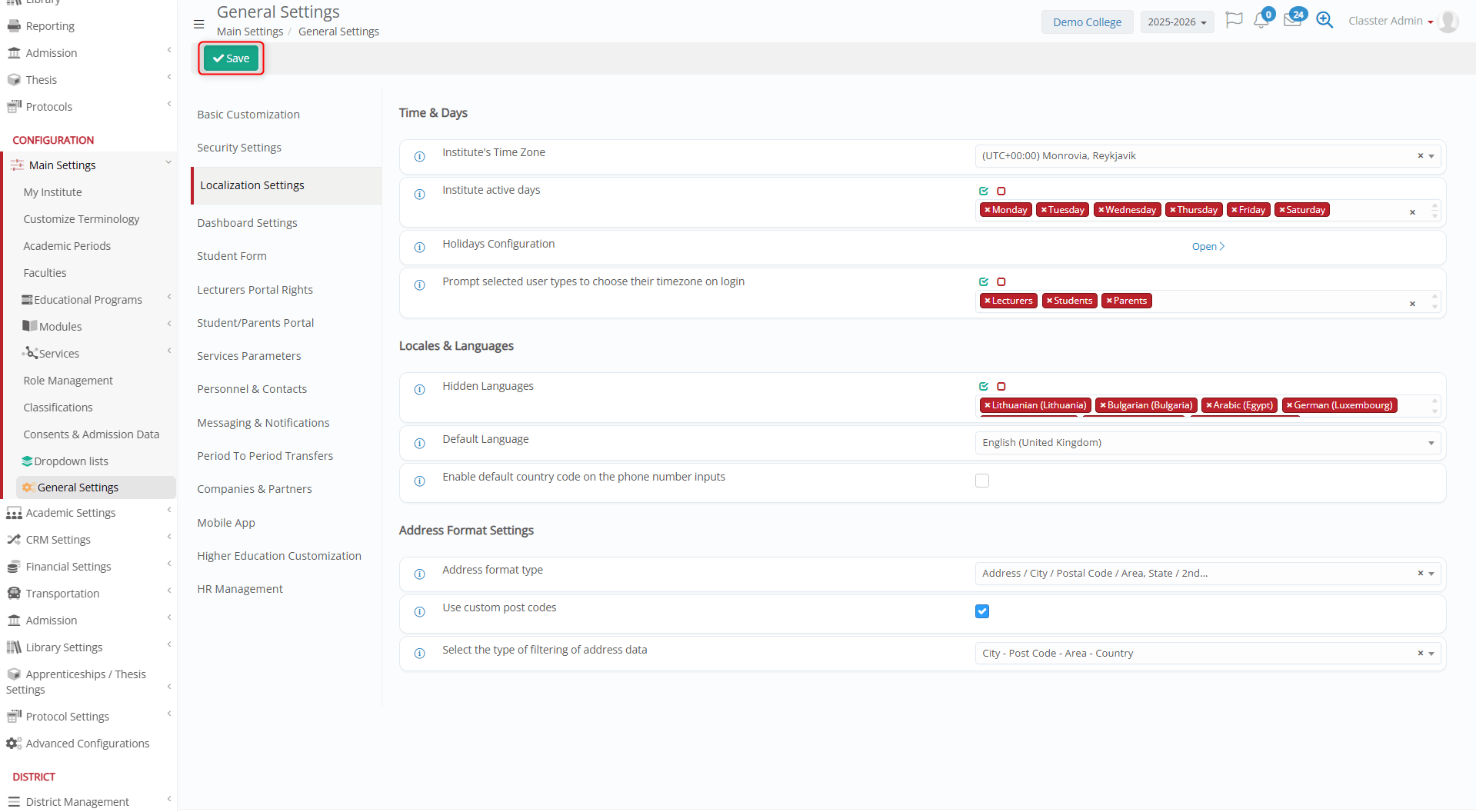
In Classter, the Time Zone is updated based on the region in which the _Institute_ is located. This feature helps ensure that _Students_ and _Teachers_ remain synchronized.
Moreover, by aligning the institute’s time zone with its region, this feature keeps _Students_ and _Teachers_ in sync and helps Classters deliver a consistent, efficient scheduling workflow.
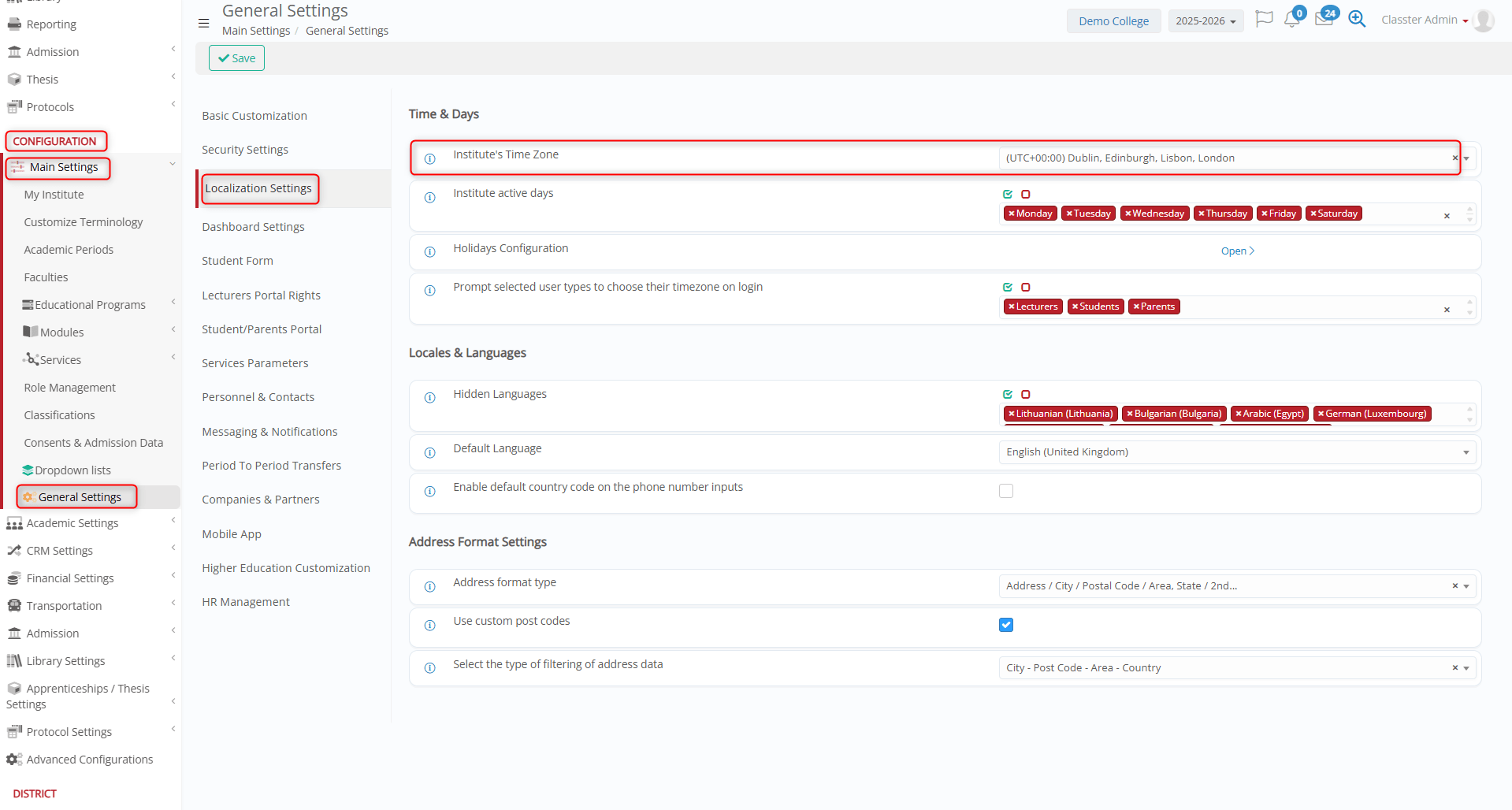
To update an Institute’s time zone, go to: CONFIGURATION > Main Settings > General Settings > Localization Settings> Time & Days > Institute’s Time Zone.
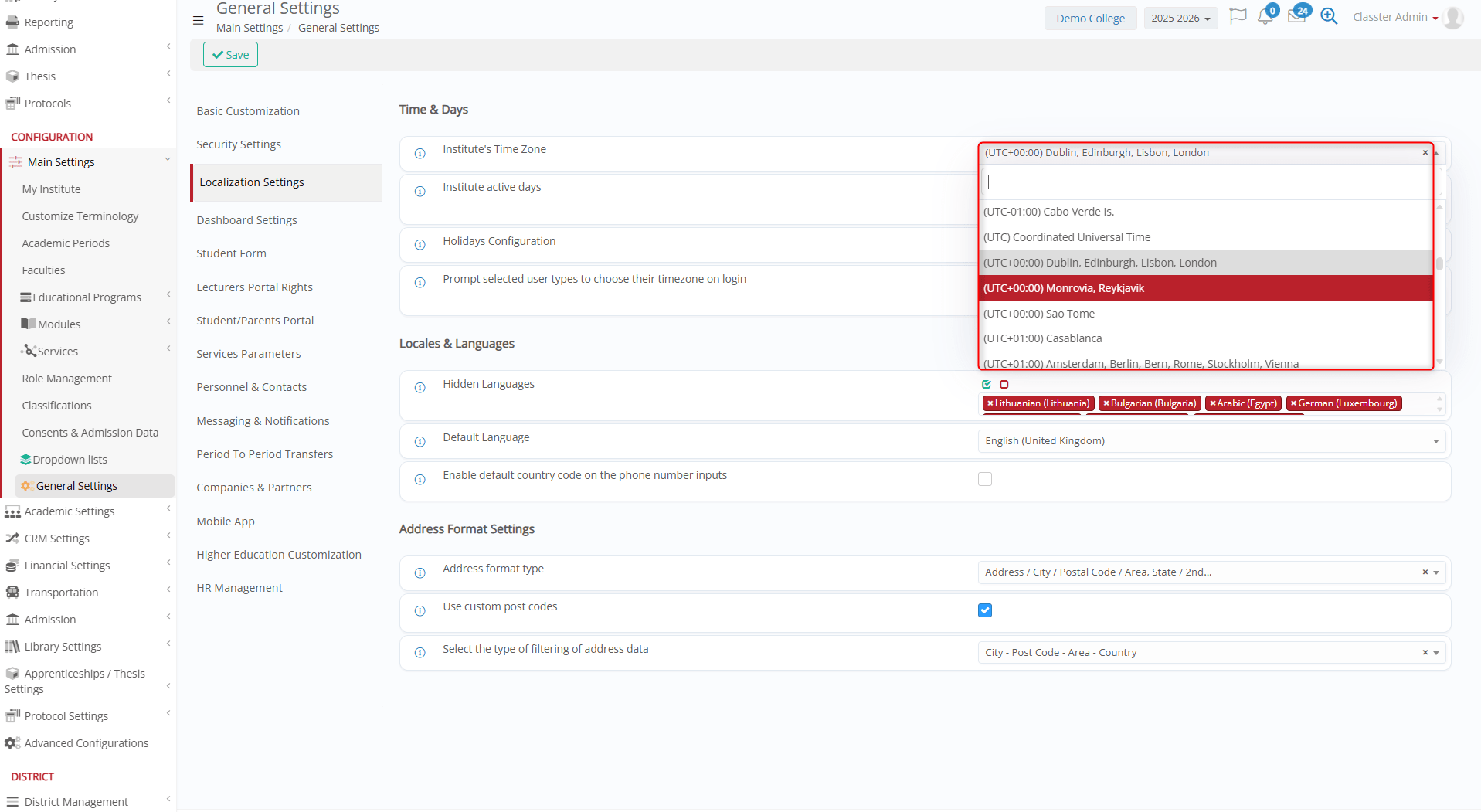
From the drop-down menu, select the time zone based on the Institute’s location.
Click Save to apply the added changes.